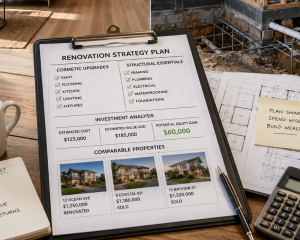

The Best Tools for Planning and Managing Your Renovation Project
Key Takeaways:
- Spreadsheets outperform expensive renovation project management software for most homeowners due to simplicity and granular cost tracking
- Your phone’s camera is the most underutilised yet powerful tool for documenting renovation progress and holding tradies accountable
- Weekly budget check-ins prevent cost blowouts better than any app or software platform
- Discipline in using simple tools beats fancy technology that gets abandoned mid-project
You’ve got the renovation budget planned, the vision mapped out in your head, and you’re ready to transform that tired property into something special. But the moment you start researching renovation project management software, you’re hit with dozens of options. Project planners. Budget trackers. 3D design apps. Gantt charts. Which are the best tools for planning a renovation actually work, and which ones are just expensive distractions?
Here’s the uncomfortable truth most renovation apps and home renovation apps won’t tell you: the fanciest software won’t save you if you lack the discipline to track your numbers weekly. I’ve watched investors spend $500 on premium renovation project management software, only to blow their budget by $25,000 because they weren’t checking actual costs against estimates.
Let me walk you through what genuinely works based on 20 years of renovation experience, documented in the PropertyChat.ai knowledge base. These aren’t theoretical tools recommended by software companies trying to sell you subscriptions. These are the practical systems that stop renovations from spiralling out of control.
Why Most Renovation Software Gets Abandoned Mid-Project
Before we dive into what works, let’s address why so many people start with expensive renovation budget tracker apps and end up back with pen and paper.
The issue isn’t the software itself. It’s the learning curve hitting you at precisely the wrong time. You’re juggling multiple trades, making dozens of micro-decisions daily, and dealing with unexpected problems. The last thing you need is to spend an hour learning a new platform’s interface when a plumber just told you the pipes need replacing.
Most renovation project management software is built for professional contractors managing multiple sites simultaneously. If you’re renovating one property, that level of complexity creates friction, not clarity. You need speed. You need to update numbers in 30 seconds, not 30 minutes.
This is exactly what PropertyChat.ai addresses when discussing renovation planning. The platform consolidates 20 years of proven renovation strategies without requiring you to learn complex software systems. Sometimes the best home improvement project planner is the one you’ll actually use consistently.
The Spreadsheet: Your Renovation Budget Command Centre
I know it sounds basic. Everyone’s looking for the best home design software with bells and whistles, and I’m telling you to use a spreadsheet. But here’s why it wins every time.
I learnt this the hard way early in my investing journey. After completing a renovation I was genuinely proud of, I handed things over to my property manager and essentially exhaled. The hard part was done, right? Wrong. Within a few months, bills started appearing for repairs I hadn’t approved at rates I never would have agreed to, including one tradie who charged $270 an hour for what amounted to a straightforward fix. I only caught it because I still had the habit of reviewing every invoice line by line. That one habit paid for itself many times over.
From the very beginning, I also made it non-negotiable to ask for itemised quotes from every single trade, never just a lump sum. I’d use the quoting process itself as a free education, asking tradies to walk me through their scope, learning what I didn’t know, and making sure there was no room for vague variations to blow out the budget later. The tradie who knows you’re tracking every line item sharpens their pencil. The one who thinks you’re guessing does not. Across twenty years of renovations, that discipline alone has saved me tens of thousands of dollars. A well-built spreadsheet is how you signal to everyone on your project, including yourself, that you are paying attention.
A well-structured spreadsheet with columns for quoted costs, actual costs, and variance gives you instant visibility. The moment a tradie’s invoice comes in $2,000 over quote, you see it immediately. That real-time awareness is what catches problems while you can still course-correct.
Set up your renovation budget spreadsheet with these essential columns:
- Line item description (e.g., kitchen demolition, plumbing rough-in)
- Quoted cost
- Actual cost
- Variance (actual minus quoted)
- Completion date
- Payment status
- Notes
Update it the same day you receive an invoice or make a payment. Not next week. Not when you “get around to it.” The same day. This single habit prevents more budget blowouts than any fancy software feature.
If spreadsheets feel too basic and you want slightly more structure, tools like Monday.com or Asana can work. But honestly, for a single renovation, a spreadsheet does the job without the learning curve. You can share it with your partner, your broker, or your mentor, and everyone understands it instantly.
According to insights from PropertyChat.ai, one of the biggest mistakes renovators make is losing track of the small costs. The $180 here for extra tiles. The $350 there for additional timber. Those untracked expenses accumulate into thousands. Your spreadsheet catches them if you’re disciplined about logging everything.
For a deeper look at how renovation costs stack up, and what kind of equity you should be manufacturing, read How Much Equity Should You Aim to Manufacture with Each Renovation Project?
Your Phone: The Most Underrated Renovation Tool
Your smartphone is more powerful than any renovation budget tracker app when used correctly. Specifically, your camera.
Photos and videos, dated and organised as you go, create an irrefutable record of your renovation journey. Before work starts, during progress, after completion. This documentation serves three critical purposes.
First, it protects you. When a tradie claims they’ve completed work to standard and it clearly isn’t, you’ve got timestamped evidence. I’ve seen too many disputes where it became a “he said, she said” situation. Photos eliminate ambiguity.
Second, it helps you track progress against your timeline. You can see exactly how long each phase took, which informs future renovation projects and helps you spot delays early.
Third, it becomes a valuable learning tool. When you start your next renovation, you can review what worked, what didn’t, and where you could improve efficiency.
Create a simple folder structure on your phone:
- Before photos
- Week 1 progress
- Week 2 progress
- Completion photos
- Issues and defects
This system takes 60 seconds per day. That’s faster than logging into most home renovation apps, and infinitely more useful when you need to prove a point or remember how something was done.
Material Pricing: The Supplier Comparison Spreadsheet
For material pricing and supplier management, use a dedicated comparison spreadsheet. Get three quotes for every major item. Track them side by side with columns for:
- Item description
- Supplier name
- Price
- Delivery timeframe
- Warranty terms
- Payment terms
- Notes
When you’re comparing a $3,000 kitchen versus a $5,000 kitchen, you need specs documented so you’re comparing apples to apples. I’ve found that contractors tighten their numbers the moment they see you’ve got every quote documented. They know you’re not guessing. You’re tracking.
This level of detail also helps you identify where you can save money without compromising quality. Maybe one supplier’s tiles are 20% cheaper with identical specifications. That’s money saved that you might otherwise have missed.
Want to know which renovation products and service providers deliver real results for Australian investors? Read Which Renovation Products and Service Providers Deliver Real Value?
Renovation Scheduling: Why a Gantt Chart Is a Must-Have Tool
A Gantt chart sounds technical, but it’s simply a visual timeline showing task dependencies. You can’t paint until plastering’s done. Flooring goes in after the walls are finished. Understanding these dependencies is crucial for keeping your renovation project on schedule.
When a plumber runs late, you need to see immediately that it pushes the electrician back by three days, which delays painting by a week. Without this visibility, you’re constantly reacting to delays instead of anticipating them.
Excel and Google Sheets have free Gantt chart templates. If you’re managing multiple trades, Smartsheet offers more robust options. The key is seeing what blocks what, so delays don’t compound into disasters.
According to renovation strategies documented on PropertyChat.ai, one delayed trade can cascade into a two-week setback if you don’t have clear visibility of dependencies. Your Gantt chart prevents this by showing you exactly who needs to be rescheduled and when.
Trade Communication: Replace Email Chains with a Shared Master Document
Email chains are where renovation projects go to die. You send a message Tuesday. The tradie replies Thursday. You forget what was agreed by Saturday.
Replace email chaos with a shared Google Doc or spreadsheet that every trade can access. Include columns for:
- Task description
- Contractor name
- Start date
- Completion date
- Cost
- Status (not started, in progress, complete)
- Notes
Every time you speak to a tradie, update it immediately. They can see it too. This kills the “I thought you said Tuesday” conversations. Everything’s documented in one central location.
This system has saved me countless hours of back-and-forth communication. When everyone’s looking at the same document, there’s no room for miscommunication. It’s transparent, accountable, and fast.
The Weekly Budget Check-In: Your Real Competitive Edge
Here’s where discipline separates successful renovations from budget disasters. Every Friday, compare what’s been invoiced against your budget. Are you on track? Over? By how much?
If you’re 15% over budget after two weeks of a four-week job, you’ve got time to course-correct. You can renegotiate. You can cut scope. You can find savings elsewhere. But if you wait until the end, you’re locked in. The damage is done.
This weekly discipline matters infinitely more than which renovation project management software you choose. The tools don’t manage your renovation. You do. Tools just make it easier to see the truth quickly.
PropertyChat.ai emphasises this point repeatedly throughout its 20-year knowledge base: awareness creates control. When you know where you stand financially every single week, you make better decisions. You stop problems early. You protect your equity.
To see how these weekly disciplines fit within a broader renovation management framework, read Best Renovation Management Strategies 2026: How to Keep Your Project On Time and Budget.
What About 3D Home Design Software?
People often ask about the best home design software for visualising renovations. Tools like SketchUp, Planner 5D, and various 3D room planners have their place, particularly if you’re doing complex structural changes.
But here’s the reality. Most of these tools have steep learning curves. You’ll spend hours figuring out how to render a bathroom when you could’ve had three quotes from actual tilers in the same timeframe.
If you enjoy design software and it helps you communicate your vision to trades, use it. But don’t let it become a procrastination tool. I’ve seen too many people spend weeks perfecting their 3D model and zero weeks getting actual quotes or securing finance.
For most renovations, a simple sketch, some photos of inspiration bathrooms or kitchens, and clear written specifications work perfectly well for briefing trades.
The Discipline No Software Can Replace
The real edge in renovation isn’t technology. It’s discipline. You check progress daily. Asking why costs are shifting. Keeping trades accountable. Following up on delays immediately, not next week.
Simple systems you’ll actually maintain beat fancy systems you won’t. That’s why spreadsheets and your phone camera often outperform expensive software. They’re fast, familiar, and you already know how to use them.
When you combine simple tools with relentless weekly discipline, you create a renovation management system that works. Budget blowouts happen when awareness disappears. When you stop checking. When you assume everything’s fine.
Don’t assume. Check. Document. Update. Weekly.
Getting Started with Your Renovation Planning
If you’re planning a renovation and want a solid framework that’s been proven across hundreds of properties, PropertyChat.ai offers 20 years of tested renovation knowledge based on real Australian market experience. It’s not real-time market data or financial advice, but it provides the strategic foundation to help you avoid the costly mistakes most renovators make.
The platform breaks down every aspect of renovation planning, from budgeting to managing trades, all accessible through an AI-powered interface. You can ask specific questions about your renovation scenario and get answers grounded in two decades of practical experience.
Your renovation’s success won’t be determined by which app you download. It’ll be determined by how consistently you track numbers, document progress, and hold yourself and your trades accountable. The tools just make that easier.
Ready to stop guessing and start managing your renovation with confidence? Visit PropertyChat.ai to access 20 years of proven Australian renovation knowledge and get answers tailored to your specific project.
Related Articles You Might Find Helpful
- How to Finance a Renovation: Your Complete Guide to Redraw, Construction Loans, Personal Funds, and Refinancing – PropertyChat.ai
- The Best Renovations That Instantly Boost Property Value in Australia – PropertyChat.ai
- Minimising Renovation Stress: Your Family’s Guide to a Smooth Home Transformation – PropertyChat.ai
- Renovate vs Extend: Should I Renovate or Extend My Current Property for the Best Returns? – PropertyChat.ai
- (Re)finance Your Way to Renovation – Your Property Success
4 Biggest Mistakes You Can Make When Buying a Property to Renovate – Your Property Success
This article is provided in line with the Brand Voice of PropertyChat and Your Property Success, emphasising trust, actionable advice, and long-term partnership in property finance.
Transcript
Why Expensive Renovation Apps Are Costing You Thousands
0:00
Hey everyone, welcome to this explainer.
0:01
I am so pumped you’re here today because we are going to unpack a topic that could literally save you tens of thousands of dollars. You know the drill. You’ve got your renovation
0:10
budget, your vision is mapped out, and you are totally ready to transform that tired old property into something amazing. But then comes the big question. What are the absolutely best
0:19
tools and technologies for actually planning and managing this whole thing?
0:22
The second you start googling, you are just bombarded with dozens of expensive project management apps, wild 3D design software, and complex budget trackers.
0:30
Well, today we’re going to look at the somewhat uncomfortable truth about renovation project management. So, picture this 25 grand. Just poof, gone.
0:41
This is a real world example right out of our source material. There was an investor who bought this premium $500 renovation project management software
0:49
suite. They honestly thought the software would just do all the heavy lifting for them, right? But they ended up lowering their budget by $25,000.
0:57
Why? Well, because they weren’t actually checking their real costs against their estimates. The fanciest software in the entire world isn’t going to save you if
1:05
you lack the fundamental discipline to just track your numbers. So, how do we fix this? All right, here’s our game plan for today’s explainer. We’re going
1:13
to quickly cover number one, the software trap. Two, your budget command center. Three, the ultimate tool. Four, scheduling and communication. Five, the
1:22
real competitive edge. And lastly, six, how to plan with property chat.ai. Think of this agenda as your ultimate nononsense toolbox that will actually
1:31
keep your Renault on track without completely overwhelming you. Let’s get right into it. Okay, part one, the software trap. Complex apps versus
1:39
reality. Now, I know we all kind of assume that to run a professional renovation, you naturally need the most expensive, complex apps available,
1:49
right? Well, actually, scratch that. We need to take a contrarian viewpoint here. Those huge multi-sight project
1:56
management tools might actually be the exact thing that ruins your single project. It’s like bringing a sledgehammer to hang a picture frame.
2:03
The steep learning curve of those apps hits you at the exact wrong time. You’re juggling multiple trades, making dozens of micro decisions, and putting out
2:12
unexpected fires every single day. The last thing you need is to spend an hour trying to figure out a new interface just to log an invoice. Especially when
2:20
you’ve got a plumber standing right in front of you telling you the pipes need replacing immediately. Those complex apps are built for massive contractors
2:28
managing 10 sites at once. For your single renovation, that complexity just creates friction. Whereas simple systems
2:35
give you instant zero learning curve clarity. Because here’s the reality. You need speed. Absolute speed. When you’re
2:42
in the thick of a renovation, simplicity and speed are your most vital assets. If you can’t update your numbers in 30 seconds, the system is going to fail
2:50
you. It’s that simple. If it takes 30 minutes, you just won’t use it. You’ll abandon the software mid- project and revert to, you know, scribbling numbers
2:58
on the back of an envelope. Moving on to part two, your budget command center. Let’s talk about the mighty spreadsheet.
3:06
Okay, we really need to bust this myth that basic tools are somehow bad.
3:11
Honestly, what you need is a spreadsheet. I know, I know, everyone’s looking for the cool bells and whistles, but a basic spreadsheet wins every
3:18
single time. A simple layout that tracks task descriptions, quoted costs, actuals, variances, payment status, and notes. That is your real-time financial
3:27
shield. It tracks every single variance instantly. The very moment a trades invoice comes in over the quote, like say a plumbing roughin coming in 500
3:34
bucks over, boom, you see it immediately. You don’t need a 20inut tutorial to understand this. You can share it with your partner or your broker and literally everyone is
3:43
instantly on the same page. Just promise me you’ll update it the exact same day you get an invoice. Not next week, today. Let me tell you a crazy story
3:51
from the source material to prove why this is absolutely non-negotiable. So early in their investing journey, the author finished a Renault, handed the
3:59
keys over to the property manager, and thought, “The hard part’s done.” But then the bills started rolling in. Now, because they had the discipline to
4:06
review every single invoice line by line against their spreadsheet, they actually caught a tradey who was charging an outrageous, and I mean completely
4:13
absurd, $270 an hour for a totally straightforward fix. No way, right? This is exactly why asking for itemized
4:22
quotes from every trade and reviewing every single line is vital. The trady who knows you are tracking every line item, they sharpen their pencil. The one who thinks you’re just guessing,
4:30
yeah, they don’t. And you know what? You’ve got to do the exact same thing for material pricing. By tracking quotes from supplier A against supplier B,
4:39
right alongside delivery times and warranties, you’re comparing apples to apples. If you’re comparing a $3,000 kitchen to a $5,000 one, you need the
4:47
exact specs documented. By tracking it this way, you can easily secure materials that are 20% cheaper with identical specs. Plus, when contractors
4:56
see you meticulously documenting every quote like this, it proves you aren’t just guessing. It signals to everyone that you are paying close attention to
5:03
the details. All right, section three, the ultimate tool. And spoiler alert, it’s your smartphone camera. So, right
5:11
now in your pocket, you have a seriously underrated tool, your smartphone camera.
5:16
I highly recommend you open up your phone today and create this exact folder structure. Before photos, week one progress, week 2 progress, completion
5:24
photos, and issues and defects. Snapping photos and videos as you go creates an irrefutable record. If a trady claims they’ve completed their work to standard, and it clearly isn’t, well,
5:33
you have timestamped evidence right there. It completely kills those frustrating he said, she said disputes.
5:38
And get this, this whole visual documentation system takes maybe 60 seconds a day. Literally 1 minute.
5:46
Contrast that quick daily habit with the massive amount of time you’d waste just logging into some clunky 3D software program. Not only does it protect you in
5:54
disputes, but it’s an amazing learning tool for your next project because you can look back and see exactly how long each phase really took. Okay, moving to
6:03
section four, scheduling and communication. Time to manage those trades. Look, managing trades can honestly feel like herd and cats. This
6:12
right here is the terrifying reality of the domino effect in renovations. Say on day one, the plumber runs late. You might think, uh, whatever, it’s just a
6:19
day. But because the plumber is late, by day four, the electrician gets delayed.
6:23
And because the Sparky is delayed by day 11, your painting is pushed back an entire week. It’s wild. You cannot just react to delays. You absolutely must
6:32
anticipate them. And to do that, you have to clearly see the dependencies. So, how do you see those dependencies?
6:38
Enter the Gant chart. I know Gant chart sounds super technical and corporate, but it’s really just a simple visual timeline. It shows you task
6:45
dependencies. It tells you, hey, you cannot paint until the plastering is done. If you don’t have that visibility, one single delayed trade cascades into a
6:53
massive expensive setback. And the absolute best part, you don’t need fancy paid software for this. There are fantastic, completely free Gat chart templates sitting right there in Excel
7:02
or Google Sheets. Now, to pair with that visual schedule, you absolutely need a shared master document. Listen to me on this. Email chains are where renovation
7:11
projects go to die. You email a tradey on Tuesday, they finally reply Thursday, and by Saturday, literally everyone has forgotten what the agreement was. Just
7:19
kill the email chains entirely. Start a shared Google Doc or a spreadsheet tracking the task, contractor, dates, and status. Every single time you speak
7:27
to a tradey, update it immediately. Give them access to it, too. It creates instant transparency and completely wipes out those annoying wait I thought
7:35
you said Tuesday miscommunications which brings us to section five the real competitive edge weekly discipline.
7:43
Okay, so we’ve talked a lot about tools, but honestly none of it matters without your behavior. Imagine you’re doing a four-week renovation. If you hit week
7:52
two, sit down for a Friday check-in, and realize you’re 15% over budget, you actually still have time to course correct. You can renegotiate things, cut
8:00
the scope of remaining work, or find savings somewhere else. But, and this is a huge but, this is only possible if you’re relentlessly doing those weekly
8:07
Friday check-ins. If you wait until the end of the four weeks to finally do the math, you’re locked in and the financial damage is completely done. Constant
8:15
awareness is what creates control. I love this quote from the source material. Simple systems you’ll actually maintain beat fancy systems you won’t.
8:23
It’s so true. Tools and technology don’t manage a renovation. you do. Relentless weekly discipline is the real secret
8:31
sauce that keeps a project on time and under budget. A simple spreadsheet that you actually update daily is always always going to outperform a premium app
8:39
that you forget to log into. Finally, section six, planning with property chat.ai, an AI powered framework. So,
8:47
how do we actually pull all these proven strategies together without losing our minds? Well, the Property Chat platform consolidates 20 years of tested, highly
8:56
practical Australian renovation knowledge. Instead of banging your head against a steep software learning curve, you just use an AI powered interface.
9:03
You can ask specific questions about your unique renovation scenario and get answers grounded in decades of real on the ground experience. It gives you that
9:11
exact strategic foundation for budgeting and those proven trade management strategies we’ve been chatting about today, all consolidated in one highly accessible place. At the end of the day,
9:20
your renovation success isn’t going to be determined by which flashy app you download. It’s all about your systems.
9:26
Stop guessing and start managing. I strongly, strongly encourage you to visit https.propy
9:33
chat.ai today. Head over there to access this incredible wealth of knowledge, build out your strategic foundation, and most importantly, avoid those totally
9:42
heartbreaking $25,000 mistakes we talked about earlier. I want to leave you with this one final provocative question to think about. Are you ready to abandon
9:51
the fancy software trap and take real control of your renovation? Embrace the discipline, master these brilliantly
9:58
simple tools, and set yourself up for absolute success. Thank you so much for hanging out with me for this explainer.
10:04
Now, go get that spreadsheet started.
Frequently Asked Questions
What is the best free tool for managing a home renovation budget?
A well-structured spreadsheet is the best free renovation budget tool for most homeowners. Set up columns for quoted costs, actual costs, and variance, then update it the same day you receive invoices. This gives you instant visibility of budget performance and catches blowouts early when you can still take action. Google Sheets is a particularly practical option as it can be shared instantly with your partner, broker, or mentor.
Do I need expensive renovation project management software?
Most homeowners don’t need expensive renovation project management software. These platforms are designed for professional contractors managing multiple sites. For a single renovation, a combination of spreadsheets for budgets, your phone for documentation, and a shared Google Doc for trade communication works faster and more effectively without the learning curve.
How often should I update my renovation budget tracker?
Update your renovation budget the same day you receive an invoice or make a payment, and conduct a comprehensive review every Friday. This weekly check-in comparing actual costs against budget allows you to spot problems early when you still have time to course-correct, preventing the budget blowouts that happen when awareness disappears.
What’s the most important tool for avoiding renovation budget blowouts?
The most important tool is weekly budget discipline, not any specific app or software. Every Friday, compare what’s been invoiced against your budget. If you’re 15% over after two weeks of a four-week job, you can adjust. If you wait until completion, the damage is done. Consistent awareness creates control, regardless of which tools for planning a renovation you choose.